> ## Documentation Index
> Fetch the complete documentation index at: https://docs.noscope.com/llms.txt
> Use this file to discover all available pages before exploring further.
# What each scan costs
> The price of a scan depends only on its mode. You see the exact cost next to each mode when you open the run pentest dialog, so there are no surprises.
The price of a scan depends only on its mode. You see the exact cost next to each mode when you open the run pentest dialog, so there are no surprises.
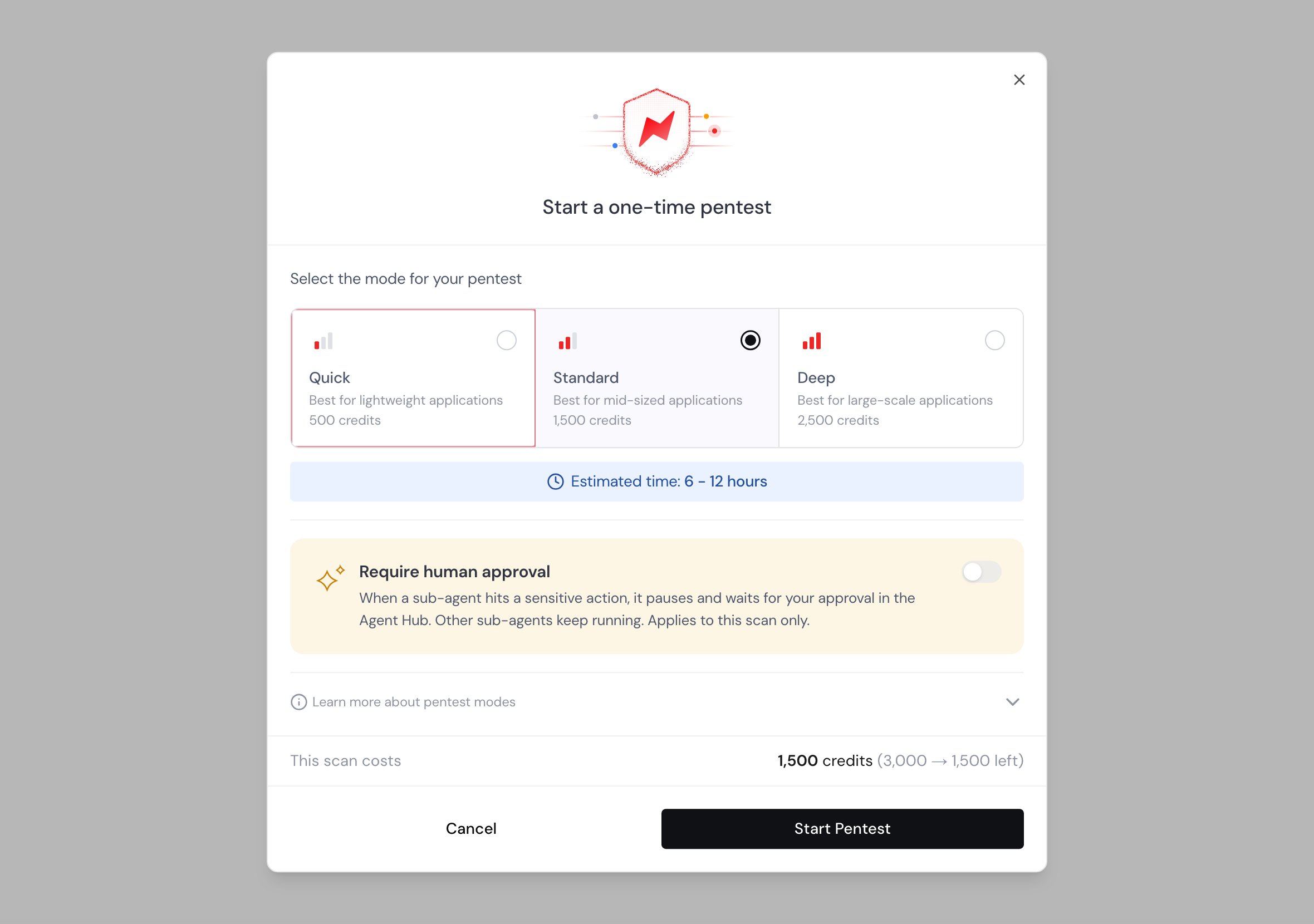 ## Price per mode
The cheapest mode, sized for small applications and quick checks.
The right default for most production apps, with broader coverage than Quick.
The most thorough mode, sized for large applications with complex workflows.
## When credits move
* Starting a scan reserves its cost from your balance right away, so the balance always reflects work in flight.
* Finishing a scan spends the reserved credits.
* If a scan fails, the reserved credits are returned to your balance in full.
* Cancelling a scan before it produces findings also returns its credits.
This documentation is built and hosted on [Mintlify](https://mintlify.com), a developer documentation platform.
## Price per mode
The cheapest mode, sized for small applications and quick checks.
The right default for most production apps, with broader coverage than Quick.
The most thorough mode, sized for large applications with complex workflows.
## When credits move
* Starting a scan reserves its cost from your balance right away, so the balance always reflects work in flight.
* Finishing a scan spends the reserved credits.
* If a scan fails, the reserved credits are returned to your balance in full.
* Cancelling a scan before it produces findings also returns its credits.
This documentation is built and hosted on [Mintlify](https://mintlify.com), a developer documentation platform.