> ## Documentation Index
> Fetch the complete documentation index at: https://docs.noscope.com/llms.txt
> Use this file to discover all available pages before exploring further.
# The application page
> When you click into any app from the Applications tab, you land on that app's detail page. It's the one place to see what the agent has turned up for this ap...
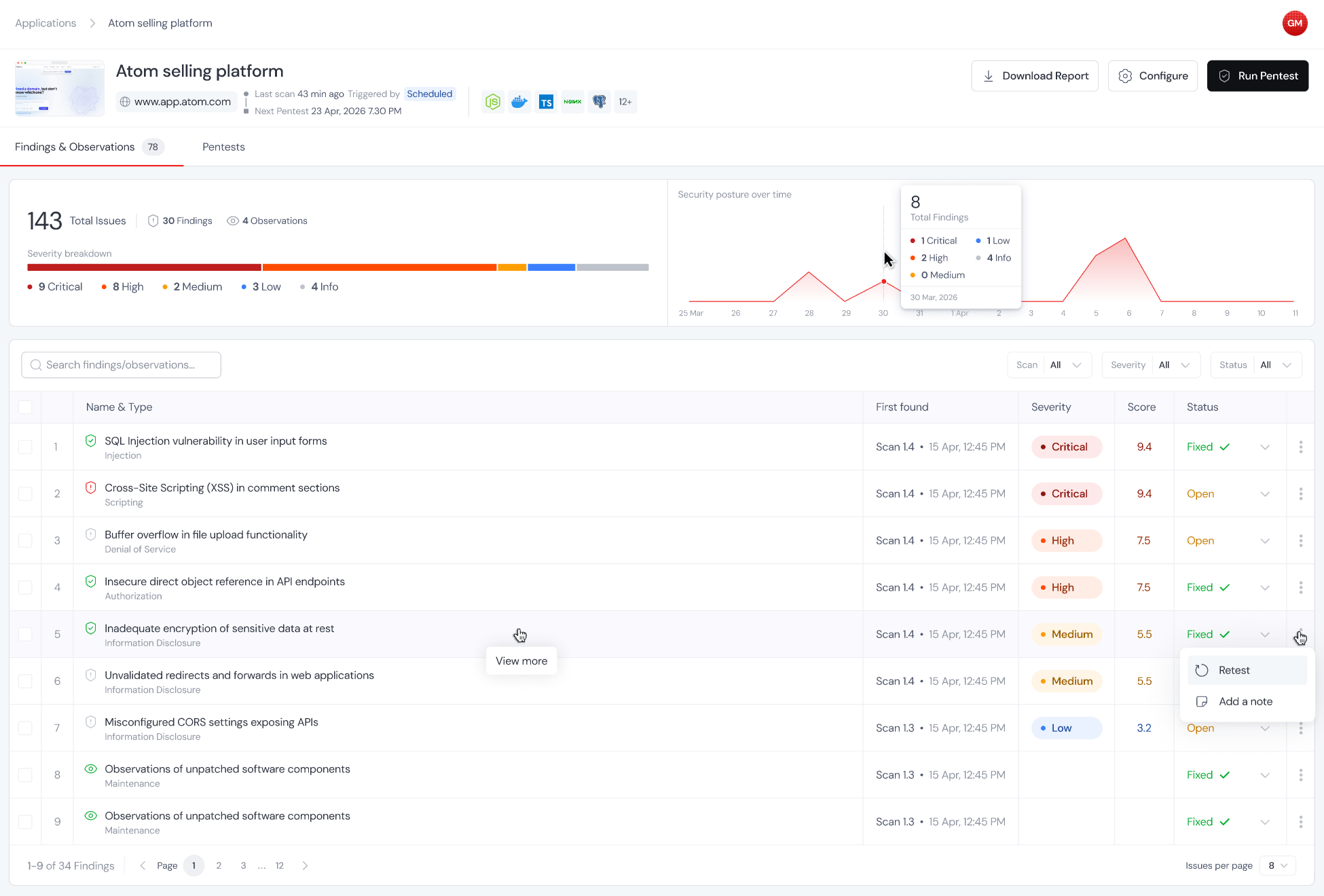
When you click into any app from the Applications tab, you land on that app's detail page. It's the one place to see what the agent has turned up for this app, watch continuous scanning activity, see what's coming up next, and take action.
 ## What you'll see here
Every vulnerability the agent has surfaced on this app across every scan, consolidated into one list so you don't have to hop between individual reports.
A view of how scanning activity and findings have trended over time. This one only lights up if you've got continuous pentesting running. If you've only done one-off scans, there's nothing yet to plot.
The next upcoming run, based on your schedule trigger. If you don't have a schedule set up, this panel stays empty.
Everything the agent has picked up about your app during its scans. Frameworks, runtimes, auth mechanisms, noteworthy endpoints. It keeps learning as more scans run.
In the top right there are three action buttons (Download report, Configure, and Run pentest). Below the summary there are two tabs, Pentest history and Scheduled. The guides below walk through each of these.
This documentation is built and hosted on [Mintlify](https://mintlify.com), a developer documentation platform.
## What you'll see here
Every vulnerability the agent has surfaced on this app across every scan, consolidated into one list so you don't have to hop between individual reports.
A view of how scanning activity and findings have trended over time. This one only lights up if you've got continuous pentesting running. If you've only done one-off scans, there's nothing yet to plot.
The next upcoming run, based on your schedule trigger. If you don't have a schedule set up, this panel stays empty.
Everything the agent has picked up about your app during its scans. Frameworks, runtimes, auth mechanisms, noteworthy endpoints. It keeps learning as more scans run.
In the top right there are three action buttons (Download report, Configure, and Run pentest). Below the summary there are two tabs, Pentest history and Scheduled. The guides below walk through each of these.
This documentation is built and hosted on [Mintlify](https://mintlify.com), a developer documentation platform.